The job card app for South African workshops
Customers approve each repair on their phone. That approval becomes your invoice.
Check a car in with photos, send the estimate, and see every job on one board. Nothing is retyped between the estimate and the invoice.
Free for 60 days. No account needed to try it. Nothing to install.

RMI approvedby the Retail Motor Industry- The approved estimate is the invoice nothing is retyped
- Works on weak signal photos wait on the phone and send later
See it working
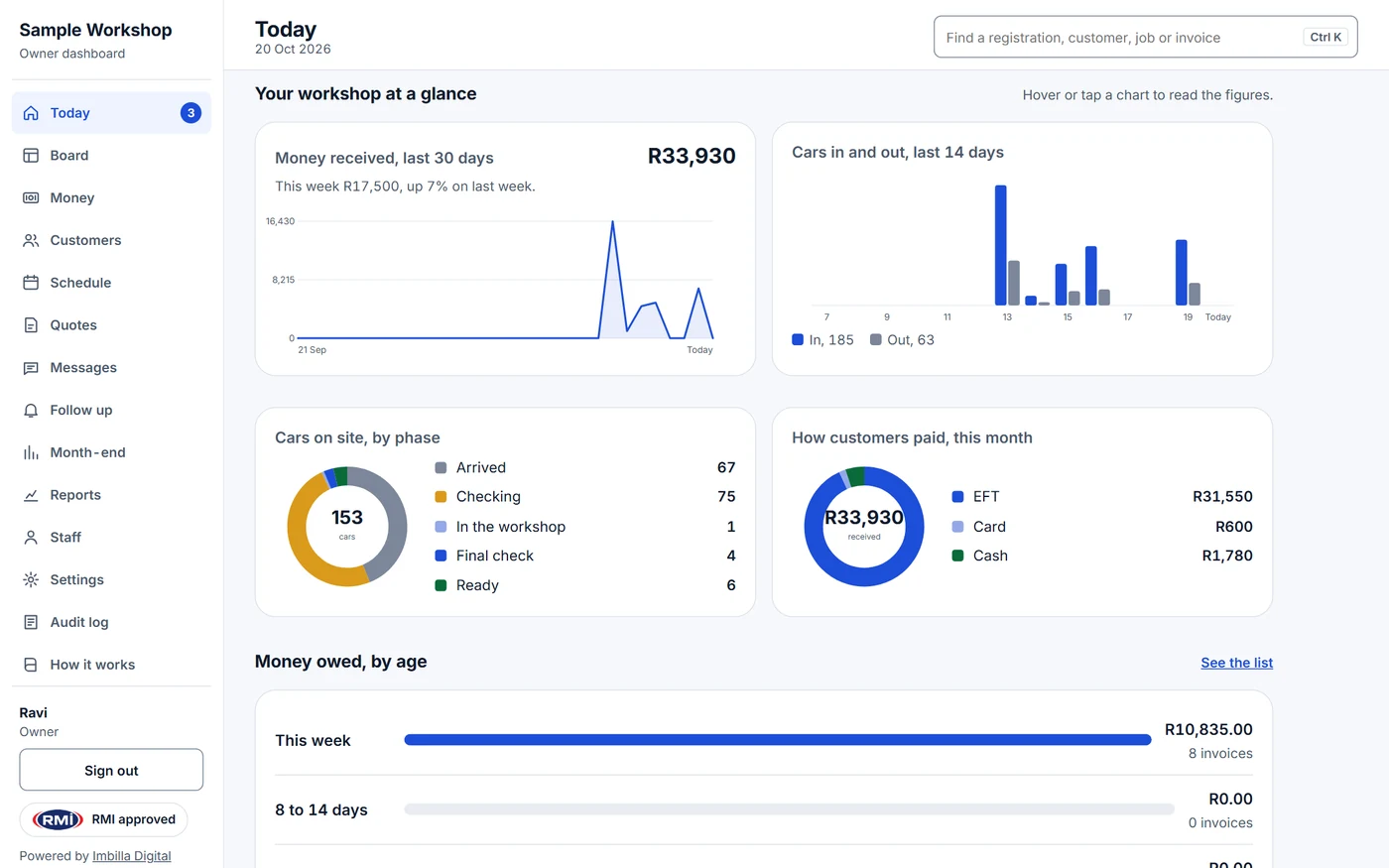
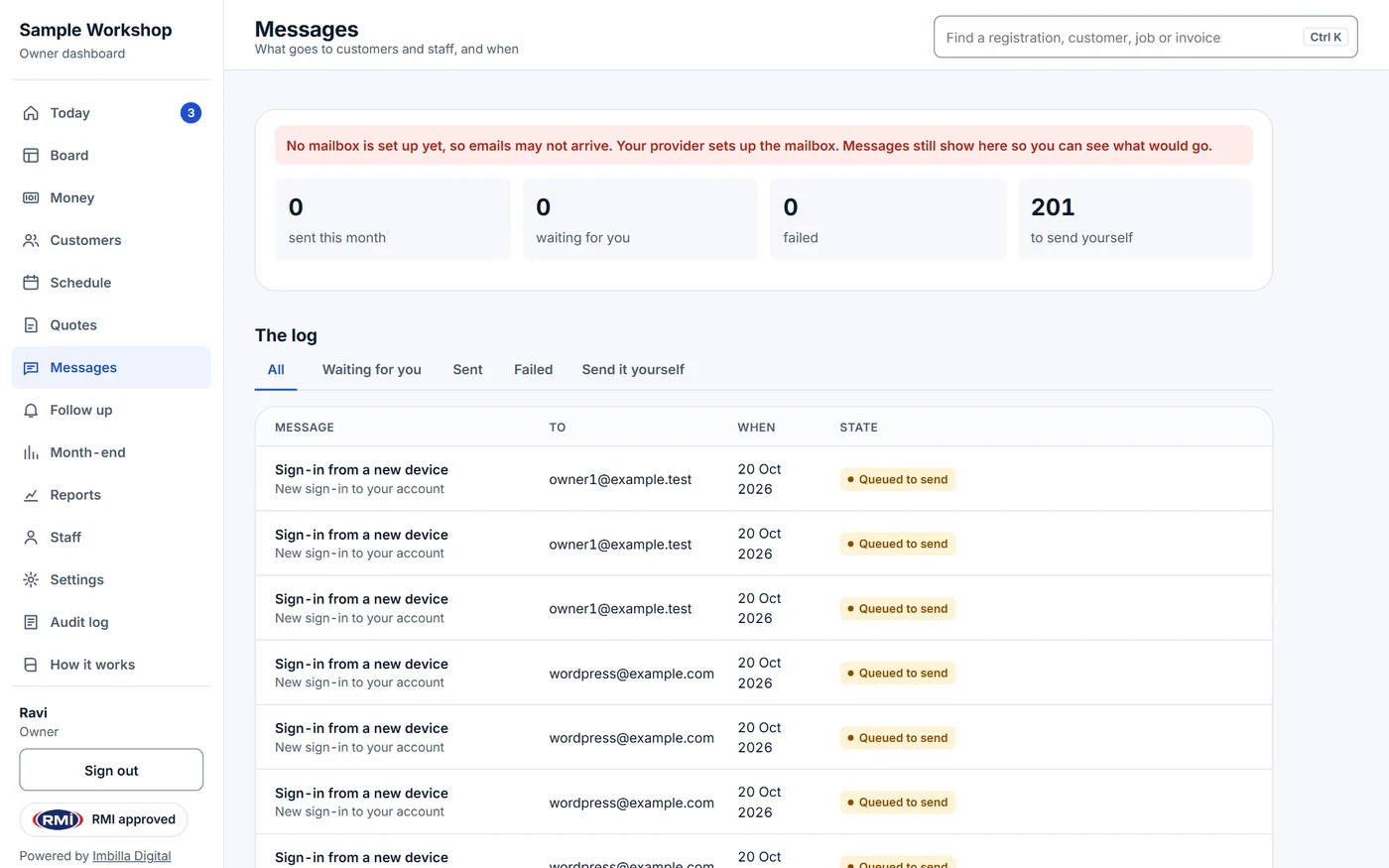
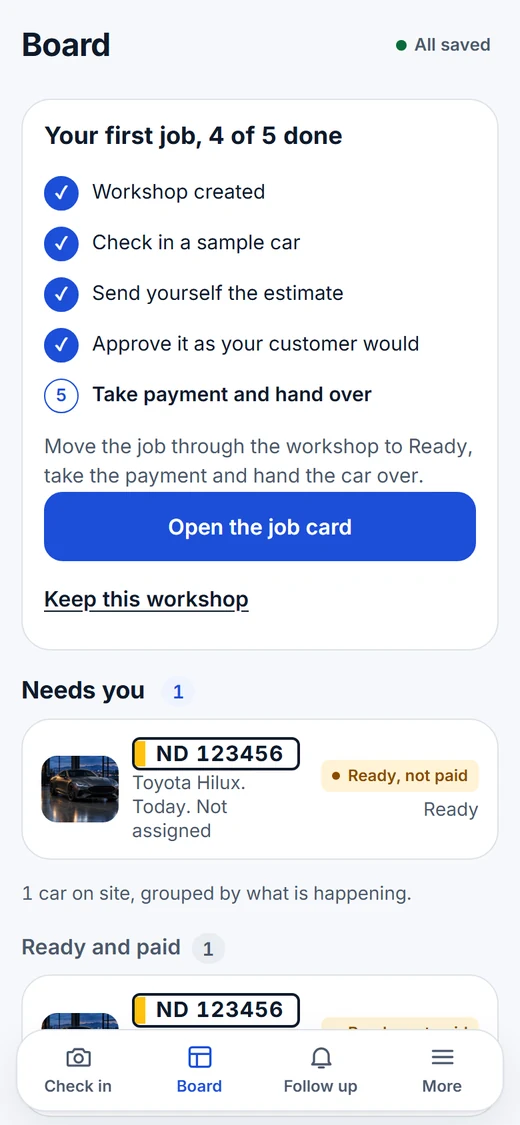
Every screen, from the forecourt to the owner's desk
Real screens from a demo workshop. Pick one, or let them play.


How it works
How a job runs, in three steps
Check the car in
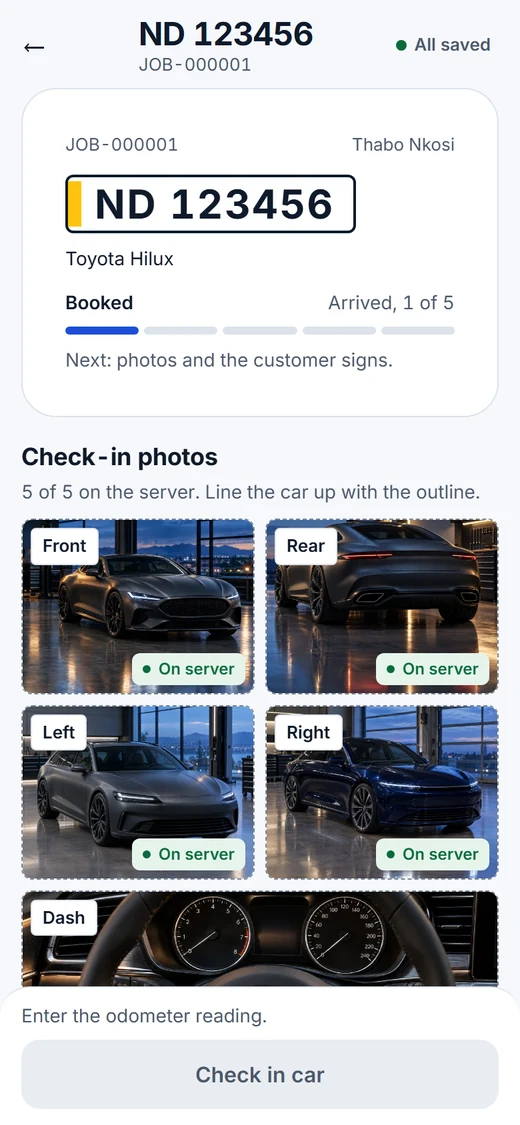
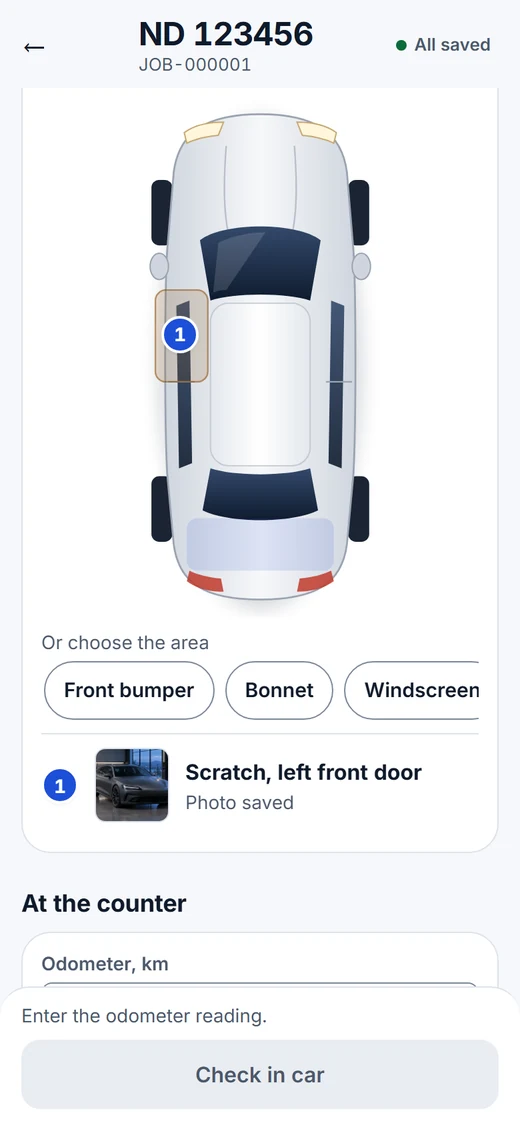
Type the registration or scan the licence disc. Take five photos, mark any damage, and the customer signs on your screen.
The customer says yes or no to each repair
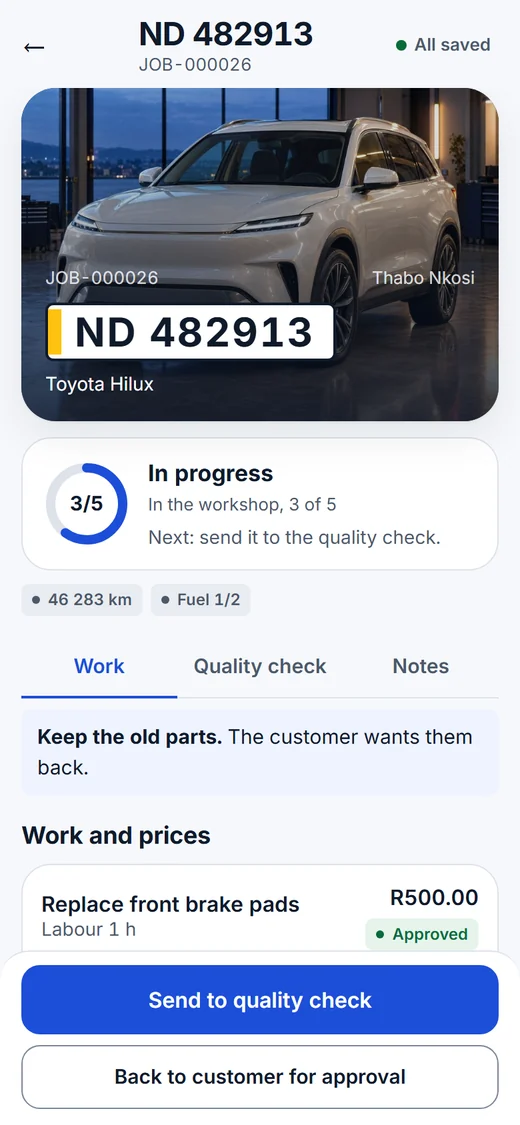
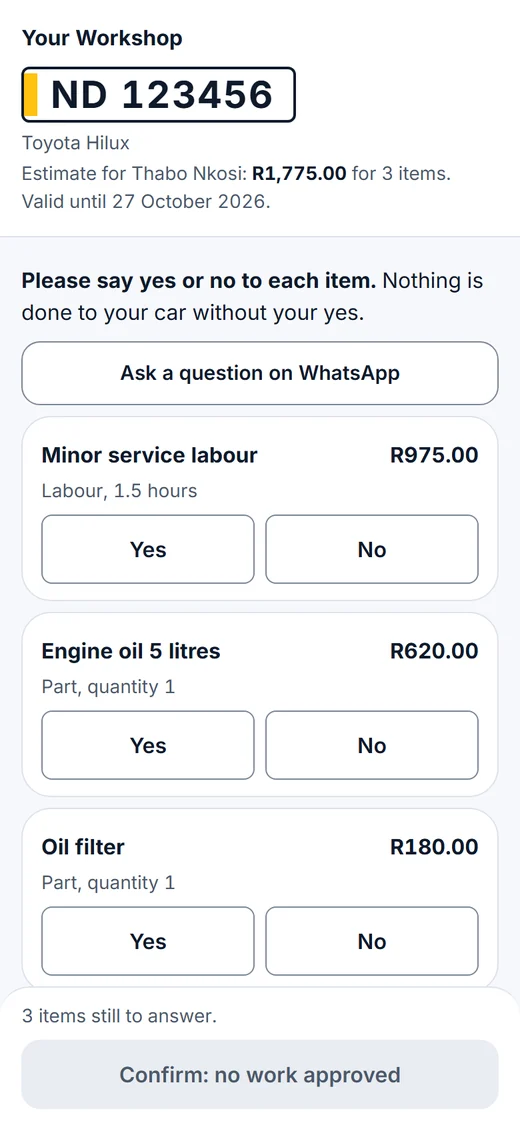
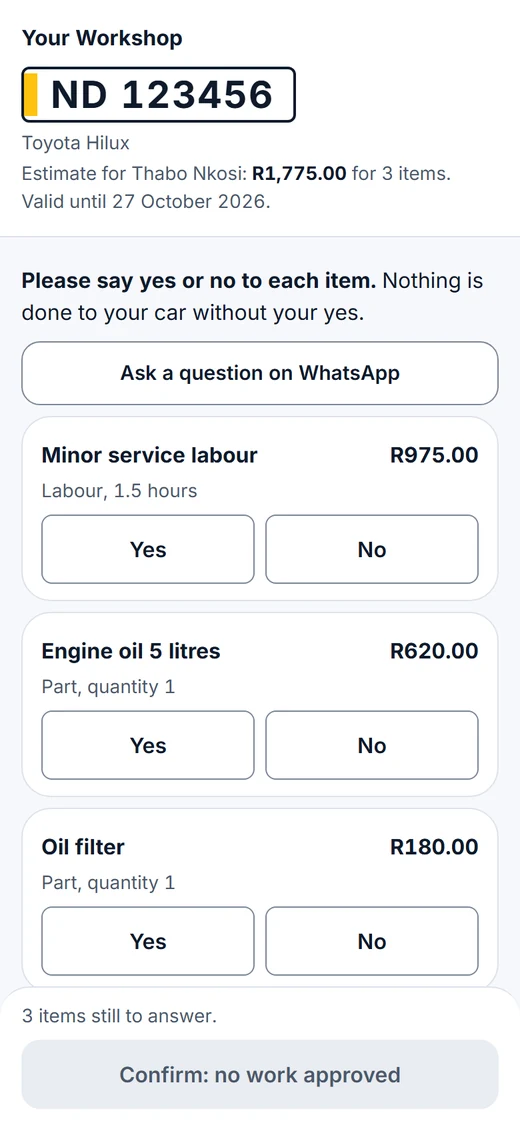
They open a link on their own phone and answer each item, with the photo of the problem beside it. You keep a record of who agreed to what, and when.
Do the work and get paid
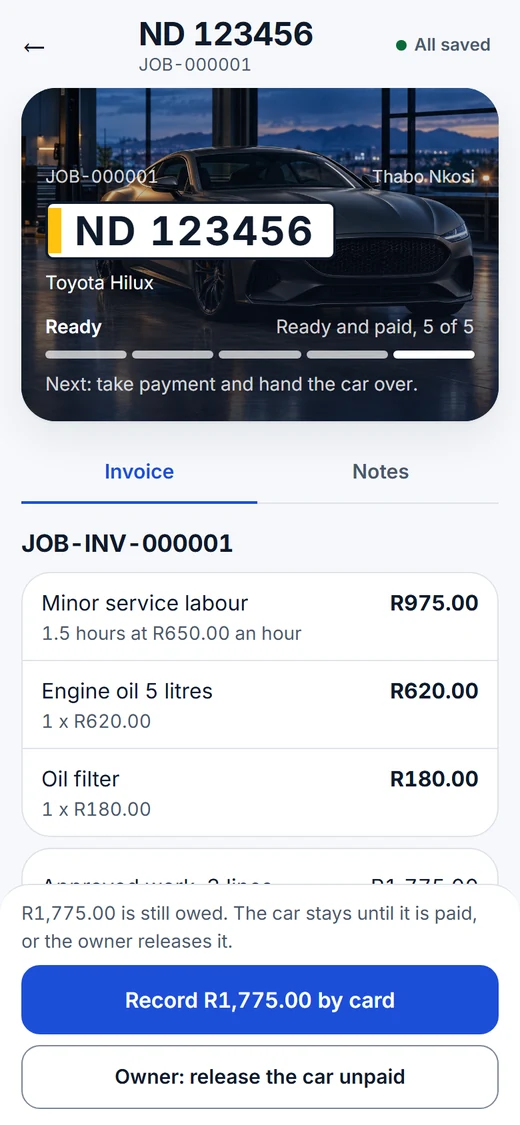
Move the job through the workshop, take the payment and hand the car over. A car cannot leave unpaid unless the owner releases it.
Front of house and back office
Your staff work on their phones. You see it all from the office.
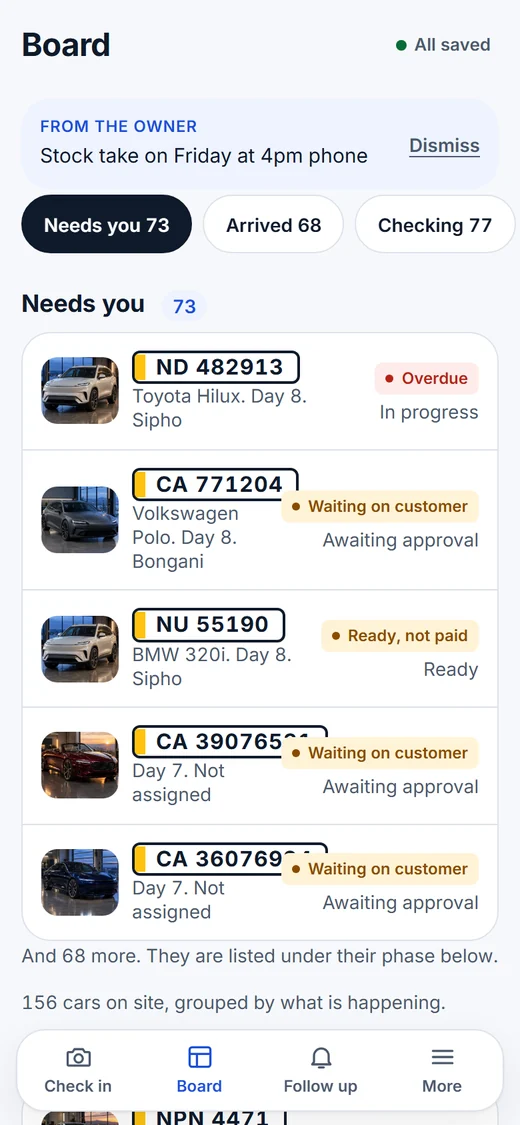
The same job card moves from the advisor's phone to the technician's bay to your dashboard, with nothing retyped.
- Technicians see their own jobs and never the prices.
- Discounts above your limit, and cars leaving unpaid, wait for your tap.
- Each workshop has its own logins, customers and job cards, and can send email from its own address.


Every screen in the app
- Check-in

- Damage marks

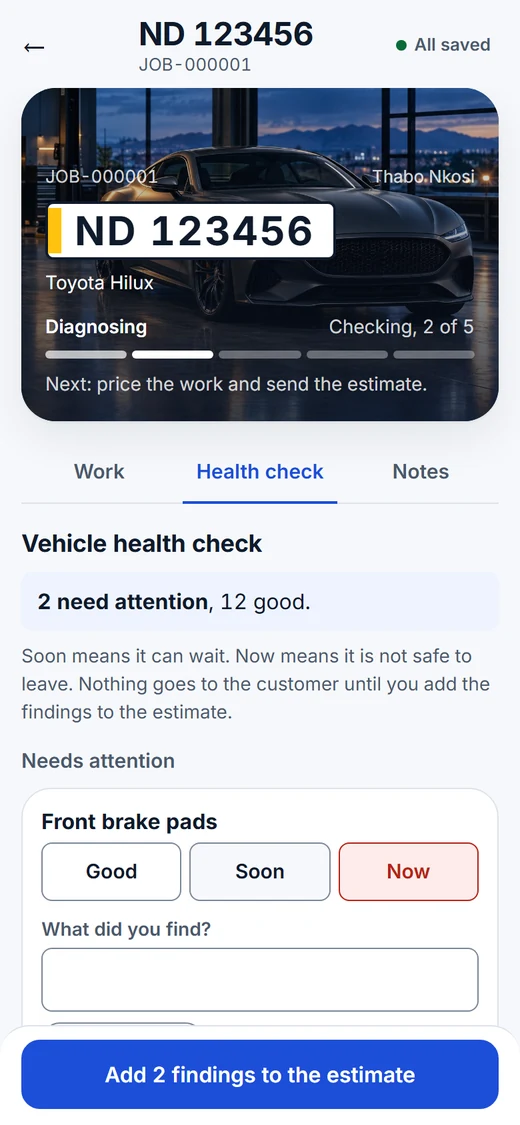
- Health check

- Customer estimate

- Invoice

- Board

Day to day
Small things that save time at the counter
Licence disc scan
Point the phone at the disc, or take a photo. If the barcode cannot be read, AI reads the printed disc.
Photos stay with the job
Five angles at check-in, a photo on every finding and every mark, all on the job card.
Messages sent for you
Estimate ready, car ready, invoice, service due: sent by email inside sending hours, with a log.
Invoices on WhatsApp
Send the invoice to the customer by WhatsApp in one tap.
Follow up declined work
See the work customers said no to, and call them back.
Built for rand and VAT
Prices, VAT and the labour rate are set for South African workshops.
Start now
Start in two minutes, with nothing to install
- Name your workshopOpen the demo and type your workshop's name. It opens with three sample cars.
- Run one jobCheck a car in with the sample photos, send yourself the estimate and approve it as your customer would.
- Keep it, and put it on your phonePress Keep this workshop and it becomes yours. On an iPhone tap Share, then Add to Home Screen; on Android use the browser menu.
Free for 60 days. No account needed to try it. Until you keep it, a demo cannot add staff or send email.
Questions
Questions workshop owners ask
Still unsure? Open the demo and try it on a sample car. It takes two minutes.
What is a job card?
A job card is the record a motor workshop opens when a car comes in: the customer and the vehicle, what the customer asked for, photos of the car, the work with parts and labour, the customer's approval and the sign-off. RMI Auto App keeps the job card on a phone instead of on paper.
What is the purpose of a job card?
It tells everyone in the workshop what to do on a car, records what the customer agreed to before any work starts, and becomes the invoice. A clear job card prevents arguments about work done without permission.
How do you prepare a job card in RMI Auto App?
Type the registration or scan the licence disc, take the five photos, mark any damage on the car diagram and let the customer sign. Then add the work, or a usual job in one tap, and send the estimate. Most check-ins take about two minutes.
Is there a free workshop management app?
You can use RMI Auto App free for 60 days. You do not need an account: you name your workshop and it opens with three sample cars. Until you keep it, a trial cannot add staff or send email.
Do I need to install anything, and does it work on an iPhone?
No install is needed. It opens in the browser on any phone or laptop, Android or iPhone, and you can add it to your home screen so it opens like any other app. The licence disc scan works on both; on an iPhone it can also read the disc from a photo.
Does each workshop get its own app?
Yes. Each workshop has its own logins, staff, customers and job cards, and no workshop sees another's. Start from the demo and press Keep this workshop, or we open one for you.
Can we send emails to our customers from our own address?
Yes. Add your own mailbox under Settings, Your email, and customer emails go out from your address. Until then they go out from our mailbox with your workshop's name as the sender, and replies come to your email.
What does it cost after the trial?
You own your install outright, with no per-user fee and no per-message fee. Contact us through imbilladigitalagency.com, tell us about your workshop and we will send you a price.
Who built it?
Imbilla Digital Agency, a digital agency in South Africa, built it for workshops. It carries the RMI approved mark. You can read more about us at imbilladigitalagency.com.